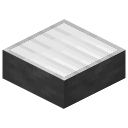
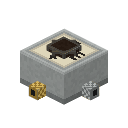
Coax carries the signal from the radio to the antenna. Lay it like redstone: it climbs walls and hangs from ceilings. One radio per antenna: two radios or two antennas on one coax run overdraw and nothing works.
With nothing on its coax a radio still reaches about 8 blocks from its bare connector.
Baluns
A balun joins coax to antenna wire, and its ratio decides the antenna:
1:1: dipole, inverted V, end-fed, vertical
2:1: quad loops
4:1: off-centre-fed dipole
9:1: random wire
Coloured coax
Coax comes in sixteen colours. Coax joins only coax of its own colour (plain is a colour of its own), so runs of different colours can lie side by side and stay apart (a direction finder needs this). Plain coax joins any colour.
Use a dye on laid coax to colour the whole run, or sneak to colour one block. Recipes that take coax want plain coax.
Bundles
Use a wire item of another kind on laid coax (or coax on a wire) and both lie in the same block: a Wire Bundle of up to seven cables, power wire, data wire and any colours of coax, drawn side by side. Each cable keeps its own links, so a bundle behind a radio can carry its power wire and its coax out together and part them wherever you like.
Sneak + right click a bundle with an empty hand to take out the cable under the crosshair; breaking it drops them all. Dye recolours the coax under the crosshair.
Wire antennas are strung between wire holders: baluns, antenna poles and antenna connectors. Right click one holder with antenna wire, then another, and a wire runs between them. A wire must end on a holder or it falls down.
How long?
Lengths are in blocks, one block is a metre. A quarter wave is about:
80 m band: 20 blocks
40 m band: 10
20 m band: 5
10 m band: 3
Every block off costs 0.5 SWR.
Improvised
Anything strung on a balun that is not a proper antenna becomes an Improvised antenna: it works, with an SWR that grows the further it is from a clean shape. Right click a balun to see what it thinks it is.
The dipole is the classic HF antenna: a 1:1 balun with two level wires going opposite ways, each a quarter wave long. It is matched on one band.
The inverted V is a dipole hung from one tall support: both arms slope down from the balun, 5% shorter, at 90 degrees or wider. A little weaker.
BUILD A 20 m dipole
Drag to turn it, scroll or pinch to zoom.
Top-down view
GGGPQrVr0aaBP
B Balun (1:1)
P Antenna Pole
a Coaxial Wire
0 20m Radio
G Solar Panel
Q Charge Controller
V Large Battery
r Wire
Wire from the balun to each pole, 5 blocks each side. Solar panels, controller and battery power it.
Above, the build in 3D; below the 3D view, a top-down view of each layer. In game, press Visualize on this page of the handbook to see it as ghost blocks.
End-fed
The end-fed is a dipole with only one arm: one quarter-wave wire from a 1:1 balun. Easier to string, not as good.
Stack antenna poles straight up on a 1:1 balun, with no wire at all. The stack must be exactly a quarter wave tall for the band (5 poles on 20 m, 3 on 10 m): one block off and it does not match.
BUILD A 20 m vertical
Drag to turn it, scroll or pinch to zoom.
Ground layer
GGGQrVr0aB
Layer 2
P
Layer 3
P
Layer 4
P
Layer 5
P
Layer 6
P
B Balun (1:1)
P Antenna Pole
a Coaxial Wire
0 20m Radio
G Solar Panel
Q Charge Controller
V Large Battery
r Wire
Five poles on the balun. Solar panels, controller and battery power it.
Above, the build in 3D; below the 3D view, a top-down view of each layer. In game, press Visualize on this page of the handbook to see it as ghost blocks.
Feed a half-wave dipole about a third of the way along through a 4:1 balun and it matches on its band and the 2nd and 4th harmonics too: a 40 m OCFD (one arm 7, the other 13 blocks: 20 in all) works on 40, 20 and 10 m.
The short arm must be a third to two thirds of the long one.
One wire of any length and shape from a 9:1 balun: it may bend at poles and connectors, but not branch or loop. It works on every band where the wire is at least half a wave long, but it is never resonant (SWR 2 or more) and only half as strong as a dipole.
A square loop of wire with a quarter wave on each side, fed at one corner from a 2:1 balun. Lay it flat for a horizontal quad, or stand it up, fed from the bottom side, for a vertical quad.
BUILD A 20 m horizontal quad
Drag to turn it, scroll or pinch to zoom.
Top-down view
GGGQrVr0aaBKKK
B Balun (2:1)
K Antenna Connector
a Coaxial Wire
0 20m Radio
G Solar Panel
Q Charge Controller
V Large Battery
r Wire
Wire balun to connector to connector to connector and back: 5 blocks a side. Solar panels, controller and battery power it.
Above, the build in 3D; below the 3D view, a top-down view of each layer. In game, press Visualize on this page of the handbook to see it as ghost blocks.
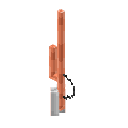
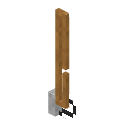
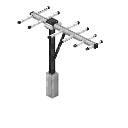
Each is a two-block-tall antenna for the 2 m band, matched across it, with coax to its foot:
J-pole: the all-rounder.
Slim Jim: made from twin-lead, a little cheaper.
Yagi: directional.
BUILD J-pole, Slim Jim, Yagi
Drag to turn it, scroll or pinch to zoom.
Ground layer
0SY
Layer 2
UTZ
U J-Pole Antenna
S Slim Jim Antenna
T Slim Jim Antenna
Y Yagi Antenna
Z Yagi Antenna
0 J-Pole Antenna
From left to right.
Above, the build in 3D; below the 3D view, a top-down view of each layer. In game, press Visualize on this page of the handbook to see it as ghost blocks.
ShapedJ-Pole Antenna
AABAAAA
→
ACopper Ingot
BCoaxial Wire
ShapedSlim Jim Antenna
ABAABAACA
→
AWire
BInsulation
CCoaxial Wire
ShapedYagi Antenna
ABAABAC
→
ALightning Rod
BIron Ingot
CCoaxial Wire
Commercial antennas
Two commercial 2 m antennas, both DC grounded: a lightning strike on one does damage only a quarter as often as on any other antenna.
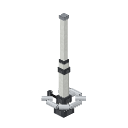
VHF Ringo: a tall vertical with its matching ring near the foot, 10% more gain than a J-pole.
VHF folded dipole: two folded loops stacked on a mast, made for the side of a tower, 25% more gain. Not made at a crafting table: found on towers.
BUILD Ringo, folded dipole
Drag to turn it, scroll or pinch to zoom.
Ground layer
0D
Layer 2
RF
R VHF Ringo Antenna
0 VHF Ringo Antenna
F VHF Folded Dipole Antenna
D VHF Folded Dipole Antenna
The folded dipole's mast goes against the tower; its loops stand off away from it.
Above, the build in 3D; below the 3D view, a top-down view of each layer. In game, press Visualize on this page of the handbook to see it as ghost blocks.
A seven-block-tall trap vertical, placed and broken as one. It matches every HF band and VHF (SWR 1.3) with no tuner.
It sends its power low, towards the horizon: nearby stations by line of sight fade at half the usual distance, but skip reaches a quarter further than a dipole. The DX hunter's antenna.
BUILD 5-BTV
Drag to turn it, scroll or pinch to zoom.
Ground layer
GGGQrVr0a1
Layer 2
2
Layer 3
3
Layer 4
4
Layer 5
5
Layer 6
6
Layer 7
7
1 5-BTV Multiband HF Antenna
2 5-BTV Multiband HF Antenna
3 5-BTV Multiband HF Antenna
4 5-BTV Multiband HF Antenna
5 5-BTV Multiband HF Antenna
6 5-BTV Multiband HF Antenna
7 5-BTV Multiband HF Antenna
a Coaxial Wire
0 20m Radio
G Solar Panel
Q Charge Controller
V Large Battery
r Wire
Coax laid against its base runs in to the mast. Solar panels, controller and battery power it.
Above, the build in 3D; below the 3D view, a top-down view of each layer. In game, press Visualize on this page of the handbook to see it as ghost blocks.
An antenna tuner anywhere on the coax between radio and antenna lets an antenna that is off resonance work. Tuned, the radio sees SWR 1; some of the power is still lost in the tuner, more the worse the antenna.
Tuning
Open it and turn its three dials (drag or scroll). The lamp tells you how close you are:
red, blinking faster as you get closer
yellow-green blinking below SWR 3
solid green: tuned.
Each antenna, band and part of the band needs its own settings.
Range
A tuner brings any antenna up to SWR 7 down to 1. Past that it can only take 6 off: SWR 9 tunes to 3.
ShapedAntenna Tuner
AAAABACDE
→
AWire
BLightning Rod
CCopper Ingot
DPaper
EIron Ingot
Automatic tuner
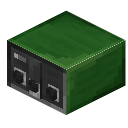
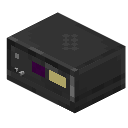
The automatic tuner does it by itself. On power, every time the radio changes band or moves 1 MHz it clicks away for a second (the radio sees SWR 3 meanwhile), then TUNED. If the antenna is too far off it clicks slowly, gives up and the radio shows TUNE FAIL: transmit at your own risk.
ShapedAutomatic Antenna Tuner
ABACDCEFE
→
ARepeater
BComparator
CHF Circuit Board
DAntenna Tuner
EIron Ingot
FEncased Pure 3.5 MHz (80m) Crystal or Encased Pure 7 MHz (40m) Crystal or Encased Pure 14 MHz (20m) Crystal or Encased Pure 28 MHz (10m) Crystal or Encased Pure 144 MHz (VHF) Crystal
A delta loop is a triangle of antenna wire one wavelength round, fed at a corner through a 4:1 balun. It is the long-distance loop: weak up close (a tenth of the usual line of sight) and strong on skip (half as much again).
On 20 m: about 21 blocks round, each side about 7.
Building it
Wire from the balun to two corner holders, and a third wire between them: a closed triangle. Upright, flat or sloping all work. Keep the sides even: a lopsided triangle matches worse.
Hang it at least 4 blocks above the ground. Lower, it still works, but the SWR is a little worse and most of its skip is gone.
BUILD A 20 m delta loop, flat
Drag to turn it, scroll or pinch to zoom.
Ground layer
PPP
Layer 2
PPP
Layer 3
PPP
Layer 4
PPP
Layer 5
0PP
0 Balun (4:1)
P Antenna Pole
Balun and two corner poles, all 4 blocks up. String wire balun, corner, apex corner, balun.
Above, the build in 3D; below the 3D view, a top-down view of each layer. In game, press Visualize on this page of the handbook to see it as ghost blocks.
A Moxon is a two-element beam bent into a rectangle. It sends and hears half as much again in the way it points, and a tenth of that behind it, close by and on skip alike.
It points from the reflector (the back) to the driven element (the front, on the balun).
Building it
Front: a 1:1 balun with wire straight out both ways to the front corners, then a wire back from each corner, the same length both sides.
Leave a one block gap, then the reflector: from a holder just behind each tail, wire back to the back corners and across between them. Lie it flat.
20 m: 7 wide, 3 deep. 10 m: 3 wide, 2 deep.
BUILD A 20 m Moxon
Drag to turn it, scroll or pinch to zoom.
Top-down view
PPPP0PPPP
0 Balun (1:1)
P Antenna Pole
Wire balun to both front poles, each front pole one back, then the reflector from the third poles round the back. It beams away from the reflector.
Above, the build in 3D; below the 3D view, a top-down view of each layer. In game, press Visualize on this page of the handbook to see it as ghost blocks.
Height helps every antenna. Tower footholds are rungs to climb a mast: place them against a wall like a ladder, climb them, or stand on them.
Old tower footholds are the weathered kind meant for old towers. Now and then one gives way under a climber with a clang, and a bent rung holds nobody. The ones you craft never break.
Tower beams
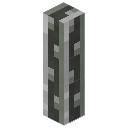
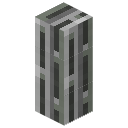
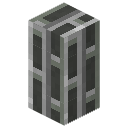
Thin, normal and thick tower beams join every beam they touch, edges and corners included, to make lattice towers. Coax can run up them.
Shaped3 × Tower Foothold
AABA
→3
AIron Ingot
BStick
Shaped4 × Thin Tower Beam
AAABAAA
→4
AIron Nugget
BIron Ingot
Shaped4 × Tower Beam
AAAAA
→4
AIron Ingot
Shaped4 × Thick Tower Beam
AABAA
→4
AIron Ingot
BIron Block
Tower lights
A tower beacon is the red obstruction light on top of a tower. It lights while it has a redstone signal, a little brighter than a redstone torch, and goes out at once.
Towers you find carry a tower beacon controller: a thin beam that flashes the lights beside it, two seconds on and two off, all in step. It cannot be crafted; a redstone clock does the same job.
ShapelessTower Beacon
ABC
→
ARedstone Torch
BThin Tower Beam or Tower Beam or Thick Tower Beam
Two radios on one antenna's coax overdraw it and neither hears a thing. Put an Antenna Splitter on the coax instead: coax from the antenna into one side, coax to each radio out of the others. Every radio behind it hears the antenna, each a little weaker the more there are.
It is receive only: nothing can transmit through it. Give a transmitter its own antenna.
An Antenna Switch gives one radio three antennas, one at a time. Run the radio's coax into it: the brass input turns to face that coax by itself. The other three sides are outputs 1, 2 and 3, clockwise from the input, each to an antenna's coax.
Right click to turn the knob to the next output. The radio has only that antenna; the other two are left disconnected.


 Balun (1:1)
 A
A C
C Balun (2:1)
 Balun (4:1)
 Balun (9:1)
 8 × Red Coaxial Wire
 B
B

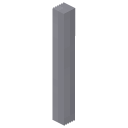 3 × Antenna Pole
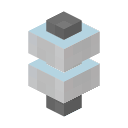 2 × Antenna Connector
 Antenna Analyzer


 Slim Jim Antenna
 Yagi Antenna
 VHF Ringo Antenna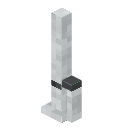

 Automatic Antenna Tuner


 Encased Pure 7 MHz (40m) Crystal
 Encased Pure 14 MHz (20m) Crystal
 Encased Pure 28 MHz (10m) Crystal
 Encased Pure 144 MHz (VHF) Crystal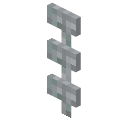

 4 × Thin Tower Beam
 4 × Tower Beam
 4 × Thick Tower Beam
 Tower Beacon